
logo

Hospital management software · Bangladesh

AIAn assistant that knows your hospital — and can run on your own server

The hospital software that keeps working — and that you never have to look after.

MediSpa runs on a server inside your hospital and is operated by us, remotely. Billing, admissions, lab and pharmacy keep going when the internet doesn't. Updates, backups and fixes arrive without anyone at the hospital touching a thing.
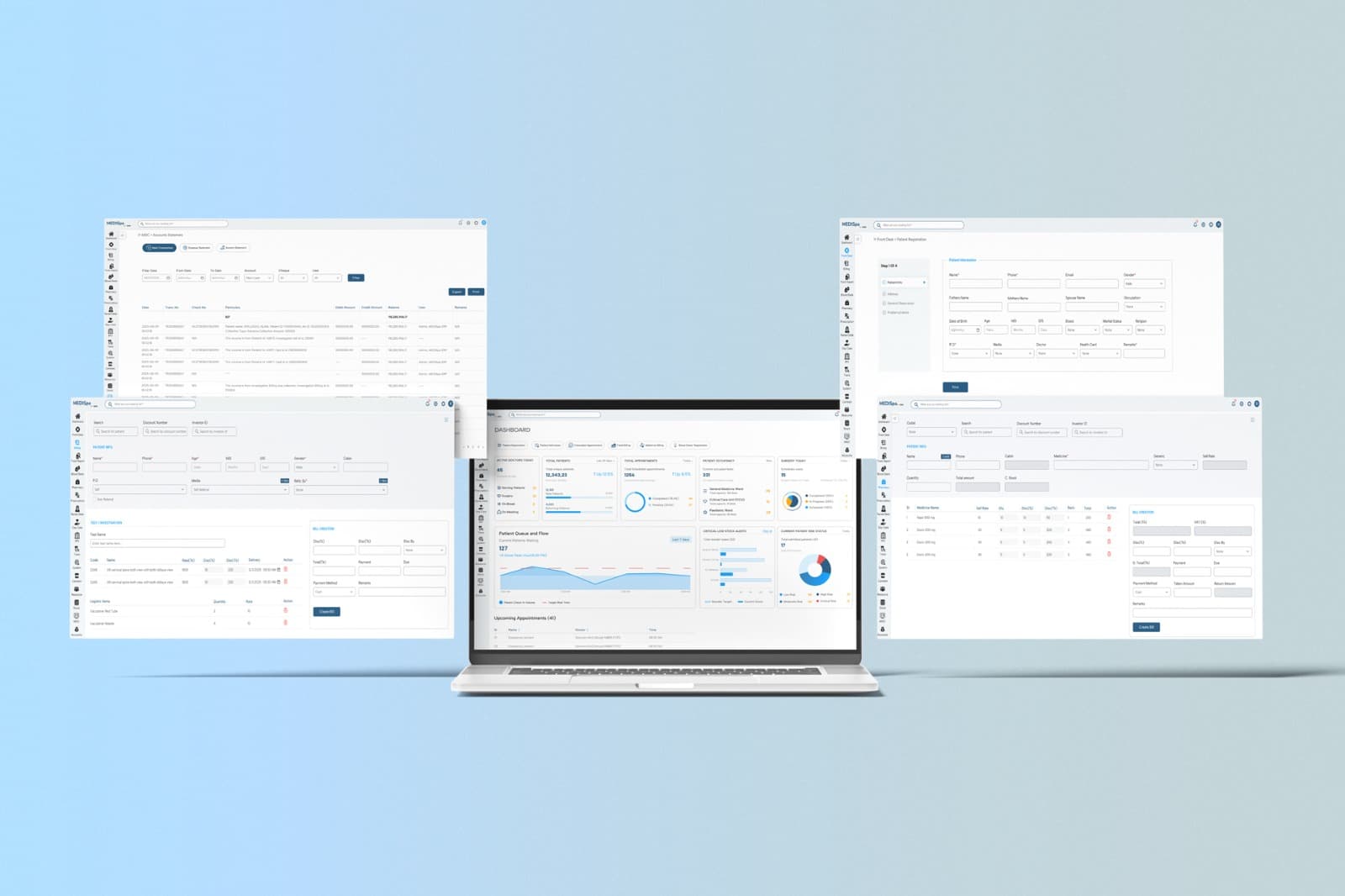
MediSpa: the dashboard, billing, patient registration and pharmacy screens
80
facilities managed
Control plane, August 2026
6 min
downtime to switch a hospital over
Comfort Unit-2, 22,918 rows
28,619
medicines already in it on day one
Plus 1,050 tests and 236 report templates
5
analyser families feed results in directly
Sysmex, Mindray, Roche Cobas, Horiba, Erba

Works without the internet

Your counter doesn't stop when the line does.

Cloud software stops the moment the connection drops, and in most of Bangladesh that is a weekly event. MediSpa is installed on a box inside the building, so everyone on the hospital network — reception, the ward, the lab, the pharmacy — carries on. When the line returns, nothing has to be re-entered.

Sell continuity of operations, not fear: the bill still prints, the report still goes out, salary still runs.

Two networks, one of which never needs the other
YOUR HOSPITAL · LANReceptionWardLabPharmacyMediSpa serverCounter still billing · lab still reportinginternetline downOur control planeupdates · backups · fixes

AI, built in

An assistant that knows your hospital — and can run inside it.

Every vendor says “AI”. Ours is three assistants your hospital configures itself, and the useful part is what they are pointed at: your own menu, your own ledger, your own formulary.

Ask where a screen is and it reads your menu as it is today, then explains the screen in its real field and button names — so a new person stops interrupting the people who know. Ask what you collected last month and it reads the ledger, and only the parts that person is allowed to read. Photograph a supplier invoice and the receiving challan drafts itself.

And if you would rather no data left the building, the model runs on your own server too.

Fifteen providers are supported, including one that runs locally, so the choice between a hosted model and one on your own hardware is yours — set per assistant, in the same settings screen as everything else. It reads, explains and drafts; it never posts stock, never touches a ledger, and never approves a prescription. A person still does that.

And your own AI tools can connect to it directly: the hospital exposes one endpoint, you issue a token, and whatever holds that token can do exactly what the person whose login it uses can do — and nothing more.

AIYour hospital’s AI AssistantBuilt in

It reads your hospital's own menu at the moment you ask — not a manual someone wrote once.

where do I enter a supplier's stock challan?

Pharmacy Management → Medicine Receiving Challan (Stock Entry).

Pull up the supplier first — the batch and expiry are required on every line, and the challan saves as a draft until someone with approval authority posts it.

A scripted example, not a live model. Figures are illustrative; the behaviour — your own menu, read-only ledger access, per-line legibility — is what the product does.

Switching takes minutes, not a weekend

You already have a system. Moving off it cost the last hospital six minutes.

The objection that kills most upgrades is “we can’t afford the downtime.” We move the old database in place — patients, bills, ledgers, stock — verify the totals against the old system, and bring the new one up. Your staff go home on one system and come in on the other.

How a switch-over day actually goes →

Comfort Unit-2 · 22,918 rows · one switch-over
Downtime6:01
  1. ✓Old system closed0:00
  2. ✓Data moved · 17 s0:17
  3. ✓New system up2:30
  4. ✓Totals checked5:00
  5. ✓Counter reopens6:01

Measured from our migration log. The old database is kept, untouched.

Your lab machines talk to it directly

Results go from the analyser to the report without anyone retyping them.

A small program runs on a PC in your lab and speaks to each analyser in its own dialect — ASTM, HL7 or the maker’s own format, down a serial cable or over the network — then hands the result to your server, where it lands on the patient’s report. No transcription, no typo in a creatinine value at 11 pm.

Thirty-six machines are supported by name, and standard ASTM or HL7 analysers beyond that list are read too. When we add support for a machine you have just bought, it arrives over the network — nobody visits your lab, and nobody installs anything. Orders can go the other way for named analysers, commissioned on your own bench rather than switched on blind.

Radiology closes the same loop: the CT or X-ray pulls the patient and the order from its own console, and the system knows the moment the scan starts and finishes.

Lab integration is priced per connected machine, separately from the monthly fee. We set it up, license it and look after it — you never deal with the middleware vendor. Every supported machine, and how it works →

Analyser → the lab PC → your server → the report
Sysmex XN-550AnalyserRS-232 or TCPLISBridgeon a PC in the lab36 named analysersparser updates itselfover the networkYour serveron the hospital LANPathology reportHb13.4 g/dLWBC7.2 ×10⁹/LPLT245 ×10⁹/LCreat.0.9 mg/dLresultover HTTPorders out — where the machine supports itQuality-control runs stay in the lab; only patient results are forwarded.Also reads standard ASTM and HL7 analysers beyond the named list.

It arrives already knowing your medicines and tests

You can write your first prescription on day one.

Every competitor ships with empty tables, and the hospital then puts staff on data entry for weeks — medicine names, strengths, manufacturers, test names, reference ranges — before the system is usable, and lives with the typos forever. It is the most common reason a rollout stalls after the invoice is paid.

MediSpa arrives with a Bangladeshi formulary and a pathology catalogue already in it, and with report templates a consultant signs without editing. That part cannot be bought; it was earned.

Medicines
28,619
Generics
1,410
Manufacturers
233
Investigations
1,050
Report templates
236
Reference values
538
Counted from the product's own seed data, August 2026. The templates are the ones 80 facilities actually print — corrected over years against how labs here work.

Backups you can actually recover from

One of our hospitals lost power mid-write. We put the database back with nothing missing.

Most vendors say “we take backups.” Ours are continuous — every change is archived and shipped off-site as it happens — so the database can be wound back to a point in time, not merely restored to last night. When a box at Aristocare suffered a corrupting power cut, it was recovered with nothing lost.

Backups
Continuous, plus scheduled dumps
Where they go
Off-site, to our storage
Recovery
To a point in time, not just last night
On the record
Aristocare: power-loss crash, zero data loss
A stalled backup is treated as the highest-priority fault on any box.

The call reaches the right nurse

The patient presses the button. The nurse on that floor — the one not already with someone — gets it on her phone, even on silent.

Not a buzzer. The call is tied to the bed and the admitted patient, routed to the nurses rostered on that floor today, and skips anyone already handling another call. You get a log of how long each one took — an owner-level report, not a nursing one. The buttons are off-the-shelf, which is usually a large saving over a proprietary nurse-call panel.

Bedside button → the nurse on that floor who is free
Bed 12Ward 2call buttontoday's roster, Ward 2Nurse Farzanawith a patientskippedNurse Rimafree · alertedNurse Jahanother floorCALLBed 12 · Ward 2rings through silent14:32:10 raised · 14:32:52 answered by Rima · 14:38 served

One system, not seven

The pharmacy sale, the lab report and the accounts ledger are the same system.

One login, one ledger, one database — twenty-two modules, including the ones nobody advertises: a canteen whose charges follow the patient to the final bill, a blood bank, an emergency desk, four kinds of stock, housekeeping, transport, dialysis, referral commission, wall screens, and an assistant that reads the live data under your own permissions. Pick a module to see what it covers, and what it shares with the rest.

One database · 22 modules · pick one to see what it shares

Front desk

  • Outpatient billing, from registration to receipt
  • Consultation fees collected at the counter
  • Due collection, refunds and daily statements
  • Discount cards and health cards

Shares with the rest: Every bill posts straight to the accounts ledger, and the patient it names is the same record the ward and the lab see.

Connected to Accounts · Lab · Pharmacy · Ward & OT · Portals · Screens & queue · Appointments · Referrals

Stock, purchasing and assets

Medicines, reagents, consumables and logistics — each with its own supplier ledger.

Most hospital systems treat stock as one list of medicines. This one keeps four: medicines, general products, reagents and logistics items — each with its own purchase orders, receiving challans, returns to supplier, issued stock, and its own supplier ledger and outstanding position. A lab that buys reagents on different terms from consumables stops needing a spreadsheet.

Nothing moves on someone’s say-so. A purchase order is approved, a receiving challan stays a draft until a person with authority posts it, and a request that needs a senior decision forwards and escalates rather than stalling. Expiry is written out as a draft somebody signs, not deleted quietly.

What you are owed by a supplier, what you owe them, and what is on the shelf are three views of the same ledger.

What the stock side actually holds
Classes of stock, tracked apart
4
Before stock moves
An approval
On every received line
Batch and expiry
Between your outlets
Transfers, with their own ledger
When something expires
Written out as a draft to approve
Supplier payments
BFTN, with TDS withheld
Equipment
Depreciated, disposed, revalued, labelled

You don't run it

Nobody at the hospital installs anything, schedules a maintenance window, or looks after a server.

Most facilities have no IT person, or one part-time. On-premise software from other vendors decays because there is nobody to look after it; cloud software goes dark with the line. We run every installation remotely — that is what the monthly fee is for — and the box keeps working on your own network whether or not it can reach us.

Updates
Arrive on their own
Monitoring
Every box, from one control plane
Faults
Fixed remotely, usually before you notice
IT staff needed
None

It keeps getting better

The system you buy in March is not the system you run in December.

Most hospital software is sold once and then left alone. Ours has shipped 130 releases since March 2025 — about seven a month — and each one reached every hospital by itself. Nobody at the hospital installs anything, there is no maintenance window to agree, and improvements to what you already run cost you nothing more.

Look at what actually ships and you can tell where it comes from: a night-shift attendance window because a hospital’s shifts cross midnight; refunds against one admission’s medicine bill; live filtering of occupied beds because a ward sister was scrolling. These are requests from people using it, not items from a roadmap.

That is the honest answer to “why a monthly fee?” — a licence buys the software as it is today; this keeps buying the one being built.

Releases per month · May 2025 to August 2026
15
M
2
J
5
J
5
A
4
S
7
O
2
N
7
D
10
J
4
F
M
20
A
11
M
5
J
J
9
A
130
releases since March 2025
~7
a month, on average
216
new features in the log
  • A night-shift attendance window, for shifts that cross midnight
  • Refunds against a single admission's medicine bill
  • Live filtering of occupied beds across the ward screens
  • Refunded consultations on the appointment dashboard
Counted from the application’s own release log. Every one of these reached the hospitals running that module without anyone installing anything.

No server? Start on ours

You do not need to buy a machine to start.

If your facility has no server capable of running it, we host your hospital on ours and you reach it over the internet. Same software, same modules, same updates on the same schedule — there is no cut-down version.

It is how you start rather than where you stay, and we say that plainly: a hosted hospital needs the line to be up, because the thing that keeps a counter open in a power cut is a box on your own network. When you have a machine, we move you onto it — the last hospital that did it was down for 2 minutes 51 seconds, with every patient, bill and ledger row matching the source exactly.

Try it: cut the internet

On a server in your hospital

What we recommend, and what most of the fleet runs

Working
  • Billing at the counter
  • Admitting a patient
  • Lab result entry and reports
  • Pharmacy sales and stock
  • Doctor and patient portals (from outside)

Hosted on our server

No hardware to buy — reaches you over the internet

Working
  • Billing at the counter
  • Admitting a patient
  • Lab result entry and reports
  • Pharmacy sales and stock
  • Doctor and patient portals (from outside)
With the line up both work the same, and they run the same software on the same update schedule.

Straight answers

The questions buyers ask

We do not have a server. Can we still start?
Yes. We host your hospital on our own server and you use it over the internet — the same software, the same modules, the same updates. It needs the internet to be up, so it is how you start rather than where you stay; when you have a machine of your own we move you onto it. The last hospital that moved was down for 2 minutes 51 seconds, with every count matching.
Other vendors sell it once. Why is there a monthly fee?
A one-time licence buys the software as it is on the day you get it. The monthly fee buys two more things: the people who keep it running — someone watching the server, backups shipped off-site, faults fixed remotely, usually before you notice — and a product that is still being built. We have shipped 130 releases since March 2025, and every one reached our hospitals without anyone installing anything or paying again for a module they already had.
If we ask for something, will it get built?
We cannot promise any particular request, and we will not pretend otherwise. What we can show you is the record: a night-shift attendance window, admission-wise medicine refunds, live bed filtering and refunded-consultation reporting all shipped recently, and all of them started as somebody asking. When something does get built, it reaches you automatically.
We already have a system and cannot stop for a migration.
Neither could the last hospitals we moved. Switching Comfort Unit-2 (22,918 rows) took 6 minutes and 1 second of downtime; Samakal took 4 minutes and 6 seconds, with every total checked against the old system. The largest move so far was 1.22 million rows.
What happens when our internet goes down?
Nothing, for the people in the building. The server is on your own network. Billing, admissions, lab entry and pharmacy keep working; only access from outside the hospital pauses until the line returns.
What if you disappear, like our last vendor?
We run 80 facilities from one control plane, and every installation is monitored. Ask us for a reference in your district — the base is concentrated in the Chattogram belt, Sylhet, Bhola and Cumilla.
Will it work with our lab machines?
Results come in directly from Sysmex (including the XN-550), Mindray, Roche Cobas, Horiba and Erba analysers. If yours is not on that list, the parser set is extensible — tell us the model and we will say honestly whether it is supported or needs to be added.
Does it help with the DGHS licence renewal?
The accounts, HR and patient records the software keeps are the ones an inspection asks about. We do not claim it makes you compliant — that depends on your facility — but we can show you exactly which registers and reports it produces.
What does the AI actually do?
Three things. It answers questions about your own hospital — where a screen is, what it does, what you collected last month — reading your real menu and your ledger rather than a manual. It reads a photographed supplier invoice into a draft receiving challan. And it transcribes handwritten prescriptions and advised tests for your staff to check. It is read-only or draft-only everywhere: it never posts stock and never changes a ledger.
Where does our data go when we use the AI?
Wherever you choose. Fifteen providers are supported and you pick one per assistant in the settings screen — including a model that runs on your own server, in which case nothing leaves the building at all. If you save no provider key, the AI does not appear in the system at all.
Can the AI read our doctors' prescriptions?
It transcribes them for a person to check, and it is deliberately careful: it reports only what it can actually see, never completes a drug name from context, marks every line clear, partial or illegible, and reads Bengali dose shorthand as written. What a drug is gets decided by matching against your own formulary, not by the model — and your pharmacist checks every line against the original image. It is not a dispensing decision and we do not sell it as one.

Next step

See it on your own counter

A demo takes half an hour. Bring the name of your analysers and the system you use today.